
HO Scale Decoder Installation Guide: Stop Killing Decoders and Start Running Trains
Posted by Tamara Brooks on 30th Dec 2025
Order by phone: 763-231-7847
Free Shipping On Orders Over $100!
If you are already registered, please log in.
Create your account and enjoy a new shopping experience.
Create A New AccountPosted by Tamara Brooks on 30th Dec 2025
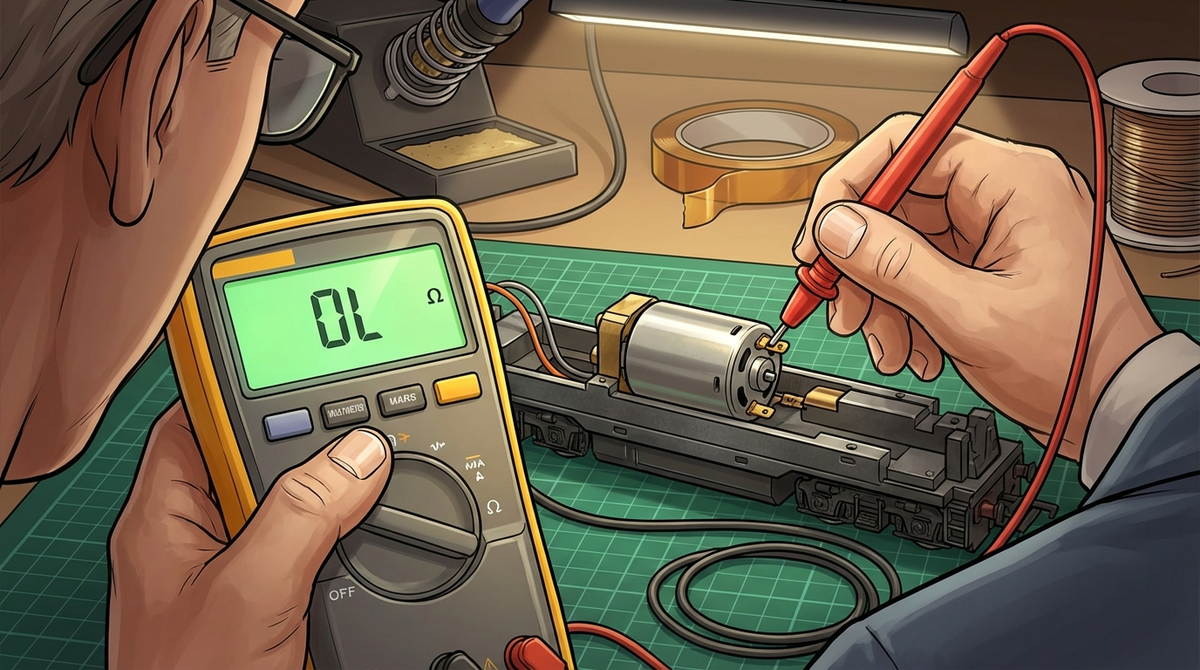
I've killed exactly three decoders. The first two were my fault. Bad wiring, motor not isolated, the usual rookie mistakes. The third? That one still stings because I thought I knew what I was doing. Turns out, "DCC-Ready" on the box doesn't mean what you think it means.
This HO scale decoder installation guide exists because I got tired of watching people repeat the same expensive mistakes I made. Whether you're wiring up your first Blue Box Athearn or dropping a LokSound into a Genesis 2.0, the fundamentals don't change. Get them right, and you'll have years of trouble-free operation. Get them wrong, and you'll be ordering another $50 decoder while questioning your life choices.
Let's fix that.
The good news? The wild west days of proprietary connectors are mostly behind us. Walk into any hobby shop today, and the new DCC-ready locomotives you find will use one of four standardized socket types. Understanding them saves you from buying the wrong decoder.
This is the workhorse. You'll find it in everything from entry-level locos to mid-range models. The 8-pin NEM652 interface handles motor, track power, and basic lighting functions. It's rated for 1.5A continuous, which covers most HO can motors. If you plug it in backward? No damage. The loco just runs in reverse with funky lighting. Easy fix.
Common in North American models, the 9-pin JST connector gives you two more function outputs than the 8-pin. You'll see this in a lot of Athearn RTR models. TCS makes a handy 9-pin JST harness if you need to adapt.
Here's where things get serious. The 21-pin MTC interface originated in Europe and handles sound decoders beautifully with dedicated speaker connections and up to 12 function outputs. Athearn's Genesis 2.0 line uses this as their "Quick Plug" system. One critical warning: insert this backward and you WILL damage your decoder. Pin 11 is blanked as a key, so pay attention.
The newest kid on the block, PluX22 is designed to eventually replace both the 8-pin and 21-pin standards. It offers downward compatibility and can't be installed backward thanks to its keyed design. You'll see more of this in coming years.
The NMRA wire color code stays consistent across all of them: red for right rail, black for left, orange and gray for motor, blue common positive, white for front headlight, yellow for rear. Memorize those. They'll serve you forever.
I'm not going to give you a shopping list of nice-to-haves. Here's what you need to install decoders without destroying them.
A temperature-controlled soldering iron in the 15-35W range with a fine tip. Those big soldering guns your dad used? They'll melt decoder PCBs before you finish the joint. I run mine at 720°F. Get in, make the joint, get out. The SoundTraxx soldering guide recommends the same approach.
Use 60/40 or 63/37 rosin-core solder. Electronics-grade flux only. I cannot stress this enough: plumber's flux will corrode your decoder into an expensive paperweight.
This is non-negotiable. A basic digital multimeter with continuity, resistance, and DC amperage functions costs under $20 and will save you hundreds in destroyed decoders. I'll show you exactly how to use it in the pre-flight section.
Heat-shrink tubing in 1/16" and 3/64" sizes. Kapton (polyimide) tape. Forget electrical tape. It unwraps, traps heat, and fails at the worst possible moment. Heat-shrink provides permanent, reliable insulation for solder joints. Kapton tape is thin, heat-resistant, and perfect for insulating frames or protecting flywheels from wires.
If you're installing any modern sound decoder with keep-alive capacitors, the SoundTraxx PTB-100 or similar isn't optional. Standard programming tracks can't deliver enough current to charge the capacitors and receive acknowledgment pulses. You'll get "Cannot Read CV" errors all day long without one.
This is where I lost those first two decoders. I skipped testing because I was impatient. Don't be me.
Before you choose a decoder, you need to know how much current your motor draws when stalled. This is the worst-case scenario for your decoder's motor driver.
Here's the process:
Your decoder's continuous current rating must exceed this number. Modern can motors typically pull around 1.0A stalled. Older open-frame motors can hit 1.75A or higher. Digitrax's decoder selection guide has good recommendations based on your measurements.
This is the test that would have saved my first two decoders. "DCC-Ready" doesn't always mean the motor is actually isolated from the frame. A short here will instantly fry your decoder's H-bridge motor driver.
With the shell off and all wires disconnected from the motor:
If you get continuity anywhere, stop. Common culprits include metal motor mounting screws, grounding clips, or motor terminals touching the frame. Fix these with Kapton tape, nylon screws, or by modifying the clips before you proceed.
Every locomotive family has its quirks. Here's what you'll encounter with the most common HO diesels.
These old warriors use the frame as an electrical conductor. Motor isolation is mandatory, and the best approach is removing the metal motor clips entirely.
Solder your decoder's orange and gray wires directly to the motor brush tabs. Insulate under the motor with Kapton tape and replace metal mounting screws with 2-56 nylon screws. For track pickups, solder wires directly from the truck sideframes to bypass the unreliable frame-as-conductor path.
These use the 21-pin MTC interface marketed as "Quick Plug" technology. The factory-installed board is a DC dummy plug. Remove it carefully and replace with a 21-pin sound decoder. Models like the SD80MAC often come with Tsunami2 sound already installed.
Most RTR models feature a light board with a 9-pin JST socket. Remove the dummy plug, connect your decoder, done. The NCE D13SRJ works well in these applications.
These models often share a common light board geometry with tabs for track and motor connections. Board-replacement "drop-in" decoders are designed to match this footprint.
Digitrax makes the DH165A0 for Atlas and the DH165K1A for Kato SD40-2/AC4400 models. TCS offers motherboards like the AK-MB1 and AS-MB2 for similar applications.
The original light board unsecures by removing plastic wire clips. The new decoder drops into place. While clips can sometimes be reused, soldering wires directly to the board tabs is more reliable long-term.
Bachmann locos include RF suppression capacitors on their circuit boards to meet international emissions standards. These play havoc with DCC signals, especially BEMF-enabled decoders.
The fix is simple: remove the capacitors. Bachmann's official policy for US and Canada confirms this won't void your warranty. Look for small tan or yellow components marked "C" (C1, C2). Snip them off the board. They're wired in parallel, so no jumper needed.
If you remove inductors (marked with "L"), you must solder a wire in their place to complete the circuit since they're in series.
Compact frames like the SW-1 present space challenges. Older Proto 2000 models often use 1.5V or 6V incandescent bulbs that generate enough heat to melt shells. Replace them with LEDs.
For hard-wiring decoders into switchers, you'll often need to cut specific copper traces to isolate motor and lighting circuits. The cab area usually becomes home for the decoder and a small sugar cube speaker. Scale Sound Systems makes drop-in speaker solutions for these tight installs.
You spent good money on a sound decoder. Now make it actually sound good.
The number one cause of poor audio is impedance mismatch between decoder amplifier and speaker.
SoundTraxx Tsunami2: Strict 8-ohm minimum. Connect a 4-ohm speaker and you risk amplifier damage.
ESU LokSound 5: Optimized for 4-ohm loads, supports 4-32 ohms. Wire two 8-ohm speakers in series (16 ohms total) and you're halving your power output.
TCS WOWSound: Rated for 2W into 8 ohms but can deliver over 4W into 4 ohms. Run master volume at 50-60% to prevent overdriving smaller speakers.
When installing dual speakers, series wiring is the safer default. Two 8-ohm speakers in series equals 16 ohms total, reducing amplifier heat and distortion.
Parallel wiring (two 8-ohm speakers = 4 ohms) produces more volume but runs hotter. Great for ESU decoders optimized for 4 ohms, dangerous for SoundTraxx.
Whatever you choose, make sure speakers are wired in phase. Out-of-phase speakers cancel each other's sound waves, leaving you with thin, weak audio.
A speaker without an enclosure sounds terrible. The baffle separates front and back sound waves that would otherwise cancel out. Seal all seams with silicone RTV. Every gap kills bass response.
Larger enclosure volume means better bass. Use rigid materials. Adding mass to flat tender shells dampens resonance and improves clarity.
Replacing factory incandescent bulbs with LEDs is one of the easiest upgrades you can make. LEDs run cooler, draw less current, and last longer.
Every LED needs a current-limiting resistor. A 1k ohm (1000Ω), 1/4-watt resistor works for most HO applications on 12-14V DCC track power, limiting current to about 10mA.
For precise brightness calculation: Resistor = (Track Voltage - LED Forward Voltage) / Desired Current. A white LED with 3.2V forward voltage on 14V track at 10mA needs: (14V - 3.2V) / 0.010A = 1080Ω. A 1kΩ resistor is perfect.
Most decoders use common anode wiring per NMRA standards. The blue wire is common positive. Function wires (white, yellow, green, violet) are switched negatives. LED anode to blue wire, cathode through resistor to function wire.
Modern sound decoders offer impressive lighting effects. SoundTraxx Tsunami2 uses single CVs per output (CVs 49-56). ESU LokSound uses indexed CVs that require setting CV31 and CV32 first.
Both offer Mars lights, gyralites, ditch lights, FRED, strobes, and firebox flicker. Adding 128 to Tsunami2 effect values enables LED compensation mode for more realistic incandescent simulation.
Dirty track, insulated frogs, bad wheel pickups. Every layout has spots where locos lose power briefly. Keep-alive capacitors store energy to power through those interruptions.
SoundTraxx CurrentKeeper: Up to 10 seconds of operation. Most Tsunami2/Econami decoders have a 2-pin plug for easy connection.
ESU PowerPack: Up to 3 seconds. Requires specific CV configuration for the "PowerPack Control" mode.
TCS KeepAlive: 2-20 seconds depending on model. Many TCS decoders include dedicated KA wires or a 2-pin plug.
Here's the catch: keep-alives draw more current than NMRA's 250mA service mode limit. This causes constant "Cannot Read CV" errors.
Solutions: Use a programming track booster. Or program on the main (Ops Mode), though you can't read CVs that way.
Most units need up to 2 minutes on powered track to fully charge. Never connect keep-alives directly to track power. They're DC devices that must connect to the decoder's common positive (blue) and ground.
You don't need the 28-step speed table for most locomotives. The three fundamental CVs get you 90% of the way there:
Make sure Bit 4 of CV29 is set to 0 to enable this 3-point curve.
Back-EMF load compensation varies wildly by brand. SoundTraxx uses CV212 for intensity. ESU LokSound 5 has CV54 and CV55 for K and I parameters, with auto-tune available (set CV54=0, press F1). Digitrax uses CV57. TCS uses CV61 with odd values enabling BEMF.
Always test on a programming track first. It's current-limited and won't let a wiring mistake destroy your decoder.
Keep-alive installed? That's probably it. The capacitor draws too much current to send acknowledgment. Use a programming track booster or switch to Operations Mode programming.
No keep-alive? Check if the motor is connected. Decoders use the motor to generate acknowledgment pulses.
8-pin plug? Flip it 180 degrees. No damage done.
Hardwired? Either swap the orange and gray motor wires at the motor terminals, or program Bit 0 of CV29 to 1 to reverse direction sense.
Measure speaker impedance with your multimeter. Is it within spec for your decoder? No sealed baffle? That's your problem. Build or buy an enclosure.
When all else fails, program CV8 to value 8. This resets all CVs to factory defaults, including the address (reverts to 03). Start fresh from there.
Decoder warranties are generous. TCS offers "Goof-Proof" coverage. Digitrax has "No Worries." But you can still void them.
Removing the shrink-wrap: That plastic sleeve is thermal management and electrical insulation, not packaging. ESU explicitly warns against removing it.
Motor not isolated: Shorts between motor and frame are user error.
Shorting outputs: Speaker wires or motor leads shorting to each other or the frame damage amplifiers and motor drivers.
Wrapping in tape: Never wrap decoders in insulating tape. It traps heat. Use double-sided foam tape for mounting and Kapton tape on the frame if needed.
Before modifying anything, photograph the decoder and the locomotive's original wiring. Read and record CV8 (Manufacturer ID) as a baseline. If you ever need warranty service, this documentation proves you started with a working unit.
Bookmark the manufacturer manual pages you'll actually use: Digitrax Tech Support, ESU Instruction Manuals, SoundTraxx Product Manuals, TCS Documentation, and Zimo Decoder Info.
The NMRA Standards and MOROP NEM standards are free to download and contain the definitive specs for every connector type.
Start with the 30-minute pre-flight checks on your next install. They're tedious. They're also the difference between running trains tonight and ordering a replacement decoder tomorrow. Trust me on this one.
? Complete Your Layout: Explore our wide selection of Photo Real buildings, diorama backdrops, detail parts, and accessories in every popular scale.
✨ Unmatched Realism: From chrome detailing products to neon lighting kits – every piece is designed to make your miniature world come alive.